

From PDF to something you can read
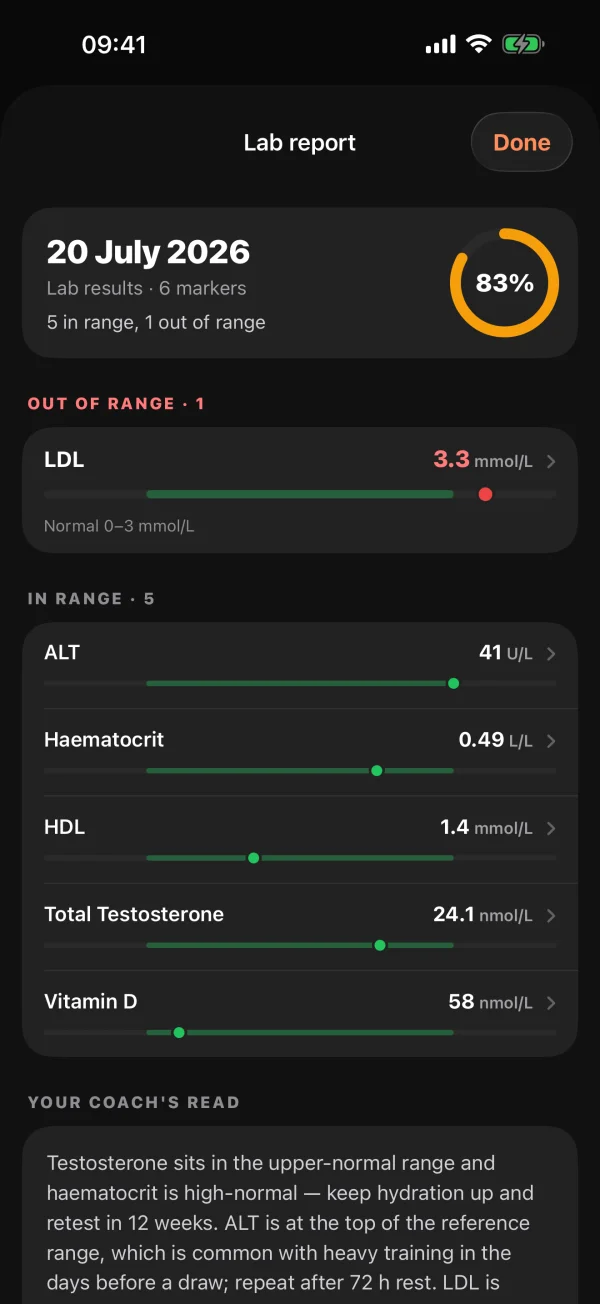
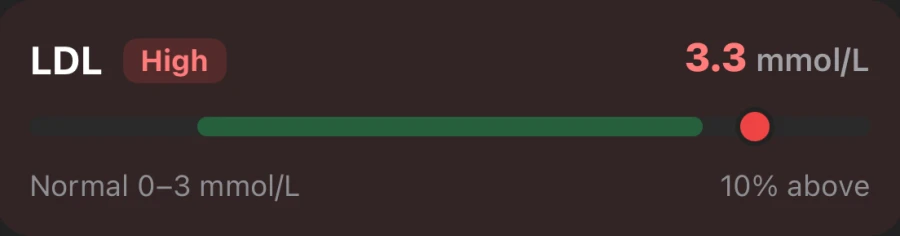
Most blood test results arrive as a PDF full of abbreviations. MyCoach Ed turns it into a list you can scan in seconds: each marker with its value, a bar showing where it sits in the lab's range, and anything outside the range at the top.
Under the markers, your coach's read explains the panel in plain English, with your training in mind.
How it works
- 1 · Upload
- Photo, or PDF on iPhone
- 2 · Read
- Every marker, value and range
- 3 · Flag
- Out-of-range markers first
- 4 · Track
- Every panel kept to compare
Why lifters track their bloods
Hard training, big diets and supplements all show up in blood work. Lifters commonly keep an eye on liver enzymes (ALT, AST, GGT), cholesterol (LDL, HDL), vitamin D, iron and ferritin, kidney markers such as creatinine, and hormones.
Context matters. Heavy training can raise some markers for a few days, which is why many people book tests after a couple of rest days. Your coach knows when you last trained, so it can point that out.
Every panel, side by side
One test is a snapshot. A series shows direction. MyCoach Ed keeps every panel you upload, so you can open an older one and see whether a flagged marker has moved since.
Your coach also cross-references flagged markers with your supplement stack, so the two never live in separate apps.
Private by design
Your results are encrypted in transit and at rest and are never sold. Delete a single panel, or your whole account and everything in it, from the app at any time.
MyCoach Ed is for information and tracking. It is not a medical device and doesn't diagnose or treat any condition.